3.3 – IRS Reporting Requirements remove this
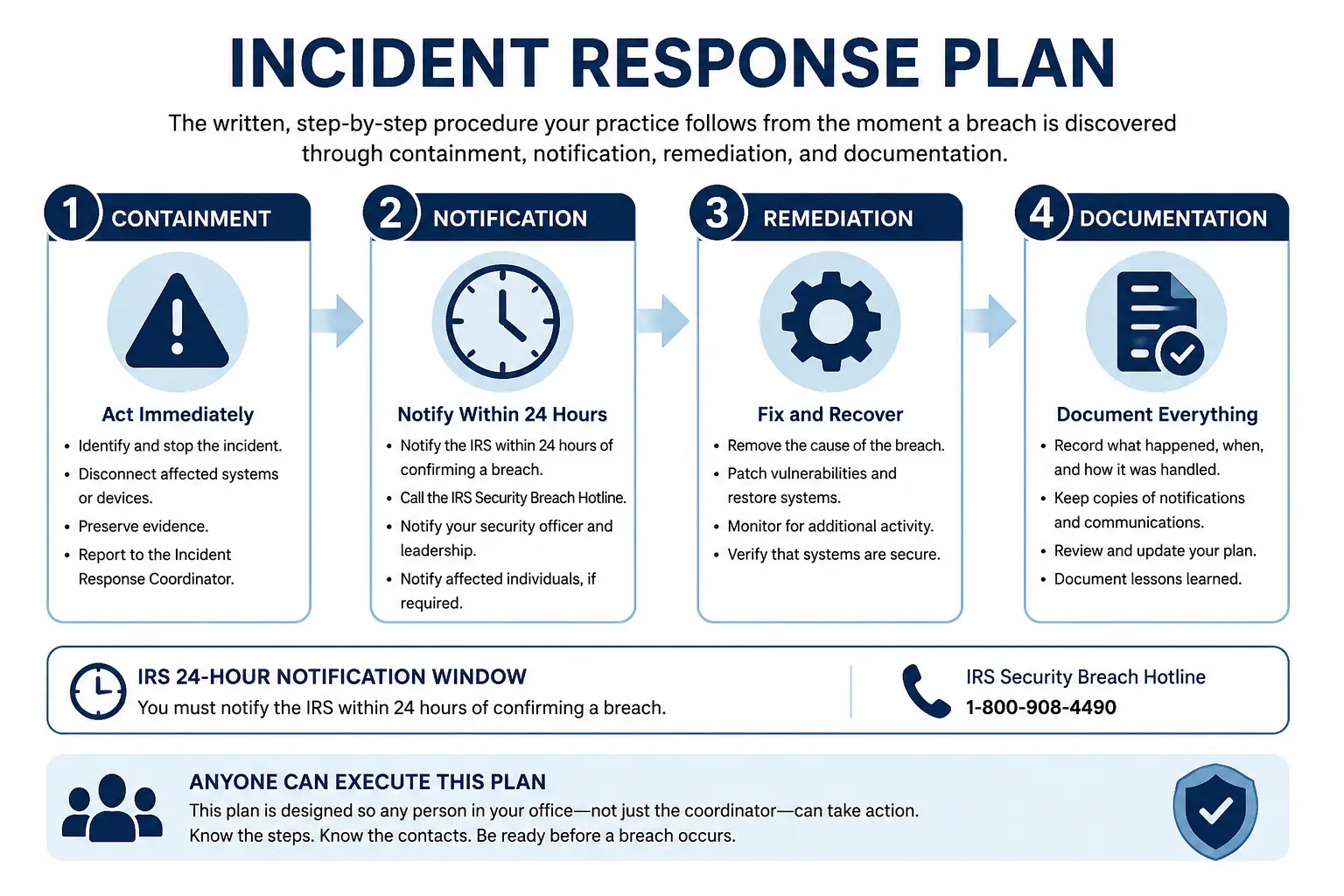
Lesson at a Glance:
An incident response plan is the written, step-by-step procedure your practice follows from the moment a breach is discovered through containment, notification, remediation, and documentation. It is required in your WISP — and it must be understood before a breach occurs, not read for the first time during one. This lesson walks through each phase of the response in sequence, explains what must happen within the IRS’s 24-hour notification window, and provides the specific contacts and actions needed at each stage. The goal is that any person in your office — not just the coordinator — can execute the plan if needed.
Learning Objectives
After completing this lesson you will be able to:
The Four Phases of Incident Response
A complete incident response moves through four sequential phases. Each phase has specific required actions. Skipping a phase — especially notification — creates regulatory and legal exposure.
|
Who to Notify |
How |
What to Say |
|---|---|---|
|
IRS Stakeholder Liaison |
Phone — find your local contact at IRS.gov/stakeholderliaisonlocalcontacts |
Firm name, EFIN, nature of breach, number of potentially affected clients, actions taken so far |
|
Tax software vendor |
Phone — use the fraud/security line, not general support |
Your account credentials may be compromised; request account freeze and review of recent filings |
|
FBI Internet Crime Complaint Center |
Online report at IC3.gov |
Description of the incident, type of attack, estimated scope |
|
Local law enforcement |
Non-emergency line or in person for physical breaches |
File a police report — the report number may be required for insurance and state notifications |
|
Your state tax agency |
Phone or online — most states have a separate breach notification requirement |
Same information as IRS notification; check your state's specific requirements |
|
Your cyber liability insurer (if applicable) |
Phone — most policies require prompt notification |
Nature and scope of breach; actions taken; request guidance on coverage |
The 24-hour clock is firm

The IRS has stated clearly that notification should occur within 24 hours of discovery of a suspected breach — not after you have confirmed every detail, not after you have finished investigating, and not after you have notified clients. The IRS notification comes first. Client notification comes next, typically within 2–3 business days depending on your state's breach notification law.
Your Incident Response Quick-Reference Card
|
Contact |
Number / URL |
When to Call |
|---|---|---|
|
IRS Stakeholder Liaison (your local contact) |
IRS.gov/stakeholderliaisonlocalcontacts |
Within 24 hours of discovery |
|
Tax software vendor fraud line |
[Your vendor's number — fill in before a breach occurs] |
Within 24 hours of discovery |
|
FBI IC3 |
IC3.gov |
Within 24 hours of discovery |
|
Local law enforcement |
[Your local non-emergency number] |
Within 24 hours for physical breaches; same day for ransomware |
|
Your state tax agency security contact |
[Your state's contact — look up before a breach occurs] |
Within 24–48 hours depending on state law |
|
Cyber liability insurer |
[Your policy number and claims line] |
Within 24 hours of discovery |
Fill in this card now — before a breach happens

Look up your IRS Stakeholder Liaison local contact, your software vendor's fraud line, and your state agency contact today. Print the completed card and laminate it. Store one copy at your desk and one in a location away from your primary workstation.
Scenario — Phishing Breach, 48-Hour Timeline

Monday 9:00 AM: Preparer Teresa notices her tax software is showing a login from an unrecognized IP address at 2:00 AM. Two returns were filed that she did not prepare.
9:05 AM: Teresa disconnects her computer from Wi-Fi. Begins incident log.
9:15 AM: From her phone, Teresa changes her tax software password and enables MFA. Changes email password. Changes e-Services password.
9:30 AM: Teresa calls her tax software vendor's fraud line. They freeze her account, identify 2 fraudulent returns filed, and flag her EFIN for monitoring.
10:00 AM: Teresa calls her IRS Stakeholder Liaison. Provides firm name, EFIN, nature of breach, 2 confirmed fraudulent returns, actions taken. IRS opens a case.
11:00 AM: Teresa files a report at IC3.gov and calls local law enforcement to file a police report.
Tuesday: Teresa identifies the two affected clients from the fraudulent returns. She calls each client personally, explains what happened, advises them to place an IRS Identity Protection PIN on their accounts, and follows up with written notification.
Within 2 weeks: Teresa updates her WISP to add MFA as a required control (she had not previously enabled it), updates her risk assessment, and documents the full incident timeline. She conducts a 30-minute security review with herself using the IRS Security Summit materials.